
How Websites Display Real-Time Clocks (And Why They’re Not Always Accurate)
At first glance, a real-time clock on a website feels simple—just numbers ticking every second. But here’s the catch: most…
 Ethan Caldwell
April 30, 2026
10 min read
Ethan Caldwell
April 30, 2026
10 min read
 By Ethan Caldwell
·
July 28, 2026
By Ethan Caldwell
·
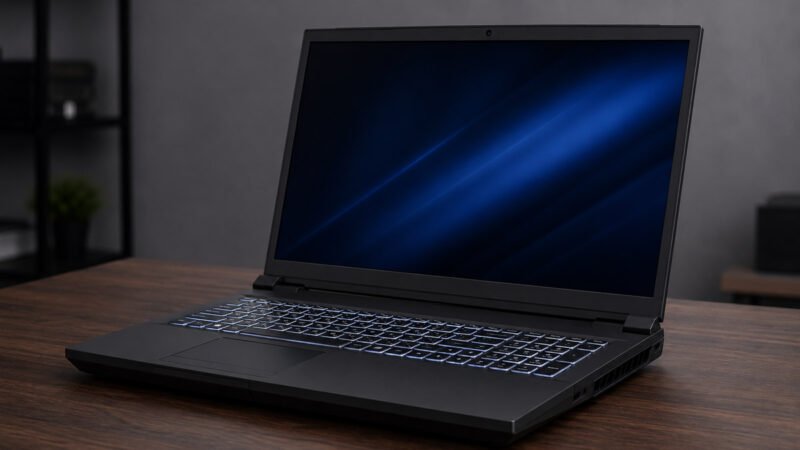
July 28, 2026Not every gaming laptop ages gracefully. Some become obsolete within a few years, while others continue to offer solid value long after newer models arrive. The Clevo NH70 falls into the second category—but there’s one important catch. Many buyers assume every Clevo NH70 has the same hardware, when in reality different versions can have very different specifications depending on who sold the laptop.
If you’re considering buying a used or refurbished Clevo NH70, understanding those differences matters just as much as knowing its gaming performance. This guide explains what the NH70 really offers, who it’s best suited for, and whether it still deserves a place on your desk today.
The Clevo NH70 is a 17.3-inch gaming laptop built around a desktop replacement philosophy. Instead of focusing on portability, it prioritizes performance, upgradeability, and cooling.
One point that often confuses buyers is that Clevo manufactures the laptop chassis rather than selling directly to most consumers. Different computer companies purchase these barebone systems and configure them with different processors, graphics cards, storage, and memory before selling them under their own branding.
That’s why two laptops labeled “Clevo NH70” may have noticeably different specifications and prices. NH70 is best understood as a chassis family, not a single fixed product—which is exactly why price comparisons based on the model name alone tend to mislead.
| Component | Typical Specification |
|---|---|
| Display | 17.3-inch Full HD (1920×1080) IPS; 60Hz on most units, 144Hz on some |
| Processor | Intel Core i7-9750H (varies by configuration) |
| Graphics | GTX 1650, GTX 1660 Ti, or RTX 2060 depending on configuration |
| Memory | 8GB–64GB DDR4 |
| Storage | NVMe SSD with expansion options |
| Keyboard | Full-size backlit keyboard with numeric keypad |
| Connectivity | USB-A, USB-C, HDMI, Ethernet, Bluetooth, Wi-Fi |
| Weight | Approximately 5.5 lbs (2.5 kg) |
You’ll also find older listings referencing GTX 10-series cards, which generally trace back to related Clevo platforms rather than the NH70 itself. Treat any spec sheet as a starting point, not a guarantee.
The NH70 was designed for users who value performance over portability. Its larger chassis allows for better airflow and easier upgrades, although it also makes the laptop noticeably heavier than many modern gaming systems.
The keyboard remains one of its strongest features. The full-size layout, dedicated numeric keypad, and comfortable key travel make long gaming sessions and everyday productivity enjoyable.
Build quality is generally solid. While the exterior uses a combination of plastic and reinforced materials rather than premium aluminum throughout, the chassis feels durable enough for long-term desktop use.
The 17.3-inch Full HD display offers plenty of screen space for gaming, multitasking, spreadsheets, and creative work.
Colors are generally pleasant for everyday use, while IPS technology provides wide viewing angles that are useful when watching movies or collaborating with others.
Panel specifications vary here too. Most units shipped with a standard 60Hz screen, though certain resellers offered 144Hz panels and, in a few cases, higher-resolution options. Since two identical-looking listings can hide very different displays, it’s worth asking the seller to confirm the refresh rate directly in Windows display settings.
Either way, buyers should keep realistic expectations. Compared with today’s higher-end gaming laptops, brightness and refresh rate are modest. Competitive gamers seeking ultra-high refresh displays or creators requiring professional color accuracy may want something newer.
Outside of gaming, the Clevo NH70 remains a capable workstation.
With sufficient RAM and an SSD, everyday responsiveness remains excellent. A six-core processor still handles a browser full of tabs, a code editor, and a video call at the same time without much complaint.
The six-core Intel processor handles photo editing, software development, and moderate video editing comfortably. Users working with larger Premiere Pro projects or Blender scenes will benefit from upgrading to 32GB or more of memory.
While it won’t compete with the latest creator laptops, it remains perfectly usable for many demanding workloads.
Gaming performance depends heavily on which GPU your NH70 includes. A GTX 1650 model delivers a different experience than one equipped with an RTX 2060. The reality is that the model name tells you very little; the graphics card tells you almost everything.
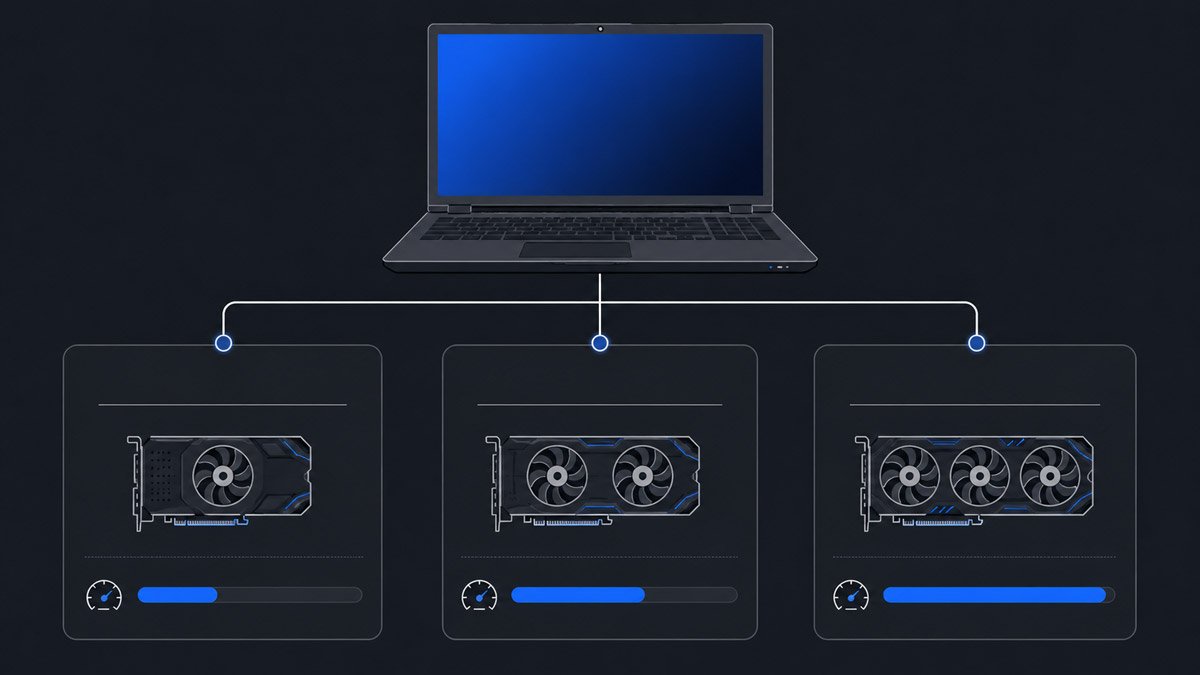
| Game Category | Expected Experience |
|---|---|
| Esports Games | Excellent performance at 1080p |
| Older AAA Titles | High settings with smooth gameplay |
| Recent AAA Games | Medium or low settings recommended |
| Indie Games | Excellent performance |
Players who mainly enjoy games like Valorant, Counter-Strike 2, Rocket League, League of Legends, or Fortnite will likely remain satisfied.
More demanding titles released in recent years generally require lower graphics settings for smooth frame rates, particularly on GTX-based configurations. Upscaling helps where it’s supported—FSR works on all of these cards, while DLSS is limited to RTX 2060 units—but it doesn’t erase a generational gap.
The NH70’s larger chassis gives it an advantage over many thin gaming laptops when it comes to cooling.
During long gaming sessions, temperatures remain manageable provided the cooling system is clean and functioning properly. Under heavy workloads, however, fan noise becomes quite noticeable.
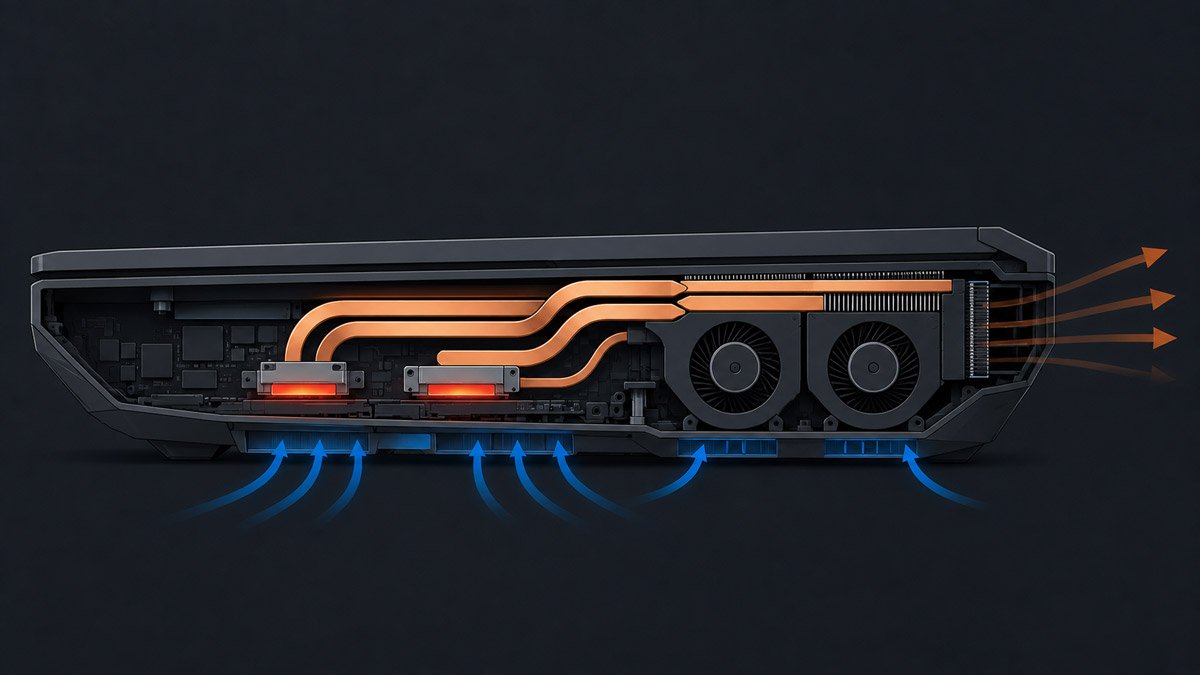
Regular maintenance—including cleaning dust from the cooling system and replacing thermal paste roughly every two to three years—can noticeably improve temperatures and reduce fan activity. On a machine this age, a fresh repaste is often the single cheapest performance upgrade available, since a throttling CPU costs you more frames than any settings tweak will recover.
Battery life has never been the Clevo NH70’s strongest feature.
For light tasks such as web browsing or document editing, users can typically expect a few hours of runtime. Gaming away from a power outlet significantly reduces battery life, and performance drops sharply once the system limits power draw.
This isn’t unusual for desktop replacement laptops, but it means the NH70 is best viewed as a portable workstation rather than a true travel companion.
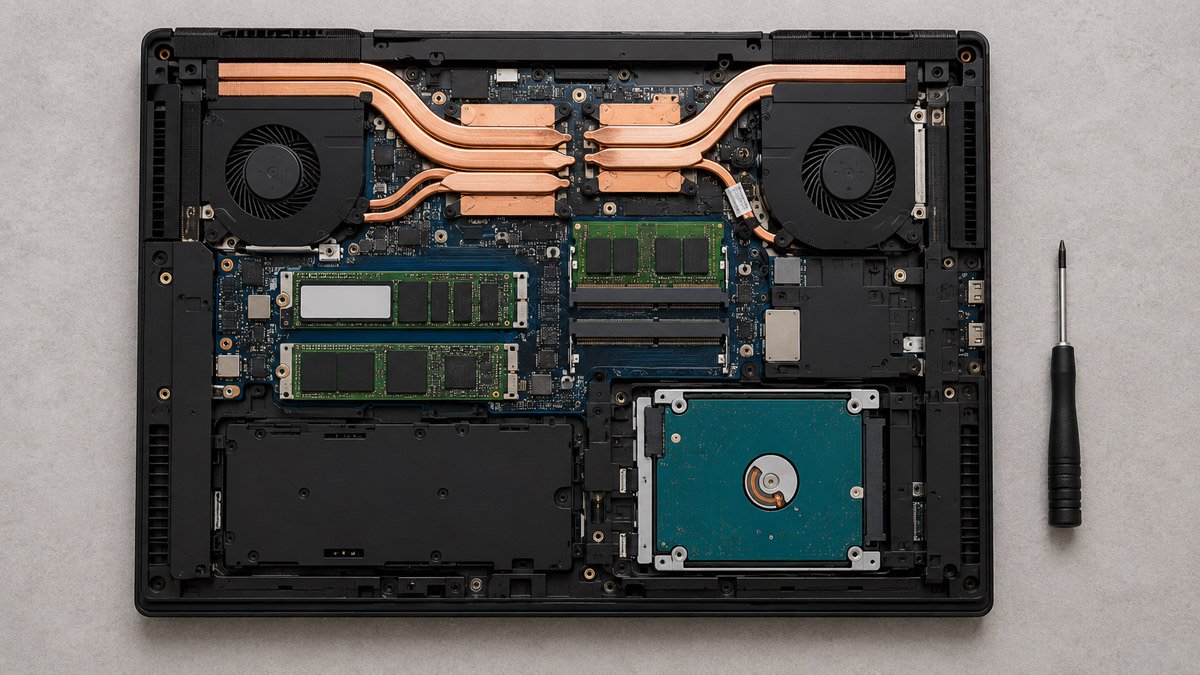
One advantage the Clevo NH70 still holds over many modern laptops is its upgrade potential.
The processor and graphics card, on the other hand, are fixed—so the GPU you buy is the GPU you keep. Everything else is fair game, and that flexibility allows owners to extend the laptop’s useful life without replacing the entire system.
This is the detail most NH70 guides skip, and in 2026 it matters more than any benchmark. Windows 10 reached end of support in October 2025, and the consumer Extended Security Updates program closes on October 13, 2026—so a unit still running Windows 10 is on borrowed time.
The good news is that the 9th-generation Core i7 sits comfortably within Microsoft’s supported processor list, since Windows 11 covers 8th-generation Intel chips and newer. The usual sticking point is TPM 2.0, which on this platform is provided in firmware through Intel Platform Trust Technology and is often switched off by default. Enabling PTT in the BIOS security menu is typically all it takes.
One more quirk worth expecting on hardware this age: a weak CMOS battery can leave the system clock resetting on every boot, which in turn breaks certificate checks and blocks secure websites—a reminder of how much of the internet depends on accurate time. If the clock keeps drifting after a fresh install, our guide to fixing time sync errors in Windows 10 and 11 walks through the fastest fixes.
Most buyers today will encounter the NH70 on the used or refurbished market.
Before purchasing, check:
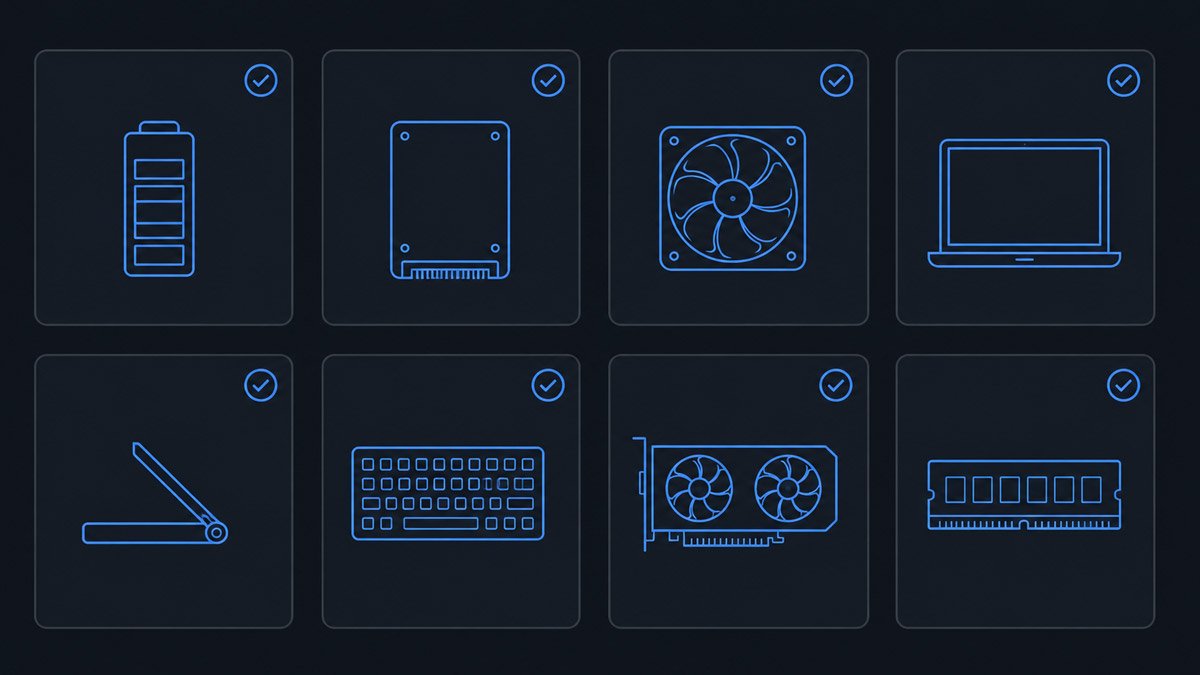
If you’ve bought used hardware before, you already know that photos rarely tell the whole story. A simple request usually does: ask the seller for a screenshot of Task Manager’s Performance tab, which confirms the exact GPU, memory amount, and drive type in one image. It takes them thirty seconds and it settles the most expensive question in the listing.
A well-maintained system can continue providing excellent value, while a neglected unit may require additional investment immediately after purchase.
Compared with newer gaming laptops, the NH70 naturally falls behind in efficiency, battery life, display technology, and features such as DLSS, advanced ray tracing, and AI-assisted graphics technologies available on newer GPUs.
However, if purchased at the right price, it still offers impressive performance for users focused on 1080p gaming, productivity, and upgradeability rather than having the latest hardware.
If you prioritize portability, all-day battery life, or the latest AAA gaming features, a newer gaming laptop will likely be a better investment.
Yes, particularly if you find a well-maintained used model at a competitive price. It remains capable for gaming, productivity, and everyday computing.
Different resellers configure the same Clevo chassis with different CPUs, GPUs, RAM, and storage options, so not every NH70 has identical hardware.
In most cases, yes. The 9th-generation Core i7 meets Microsoft’s processor requirement, and TPM 2.0 is usually available through Intel PTT once it’s enabled in the BIOS.
Yes. Most configurations allow RAM and storage upgrades, making it one of the more serviceable gaming laptops in its class. The CPU and GPU, however, cannot be swapped.
It performs well for moderate editing workloads, especially when equipped with additional RAM and fast NVMe storage.
The Clevo NH70 remains an interesting option because it focuses on fundamentals that still matter today: solid performance, easy upgrades, and a spacious 17.3-inch display. It may not match the efficiency, battery life, or graphics technologies of modern gaming laptops, but it continues to deliver dependable performance when purchased in the right configuration.
The biggest mistake buyers make is assuming every NH70 is identical. Understanding the specific processor, graphics card, memory, and storage inside the machine is far more important than the model name alone. If you find a well-maintained unit with a strong GPU at a fair price, the Clevo NH70 can still be a smart purchase. If you’re paying close to the cost of a newer gaming laptop, however, you’ll likely get better long-term value by investing in more current hardware.
At first glance, a real-time clock on a website feels simple—just numbers ticking every second. But here’s the catch: most…
Ethan Caldwell
April 30, 2026
10 min read
What would happen if the internet suddenly lost track of time? It sounds harmless — maybe a few wrong timestamps,…
Ethan Caldwell
April 29, 2026
10 min read
Online clocks and physical clocks solve different problems. Online clocks excel in accuracy, automation, and multi-device access. Physical clocks offer…
Ethan Caldwell
May 22, 2026
15 min read